For the church secretary, the pastor's spouse, and the pastor who does it all
Build this Sunday's bulletin without Publisher.
VVivian, founder of PastorPrep·Updated October 6, 2026✓ Checked against Microsoft's notice
Your order of service, saved once. Announcements that carry over week to week. A half-fold, print-ready PDF in traditional or large print. Start independently; invite your pastor when you’re ready. Sermon writing is optional.
✓ Half-fold PDF, print-ready✓ Your order of service, saved✓ Announcements carry over✓ Large-print version included
Bulletins that do not need Publisher.
Create your church’s bulletin workspace with an email code. Bring your current PDF or start with a design.
A free church bulletin template, standard and large print.
Two Word files, half-fold, with the order of service laid out and placeholder text where yours goes. They open in Word or Google Docs and print on the printer you already have, folded once. Microsoft's own advice for Publisher users is to move to Word; this saves you the layout work.
If you would rather not rebuild a template every Saturday, the builder above keeps your order of service and carries the announcements for you.
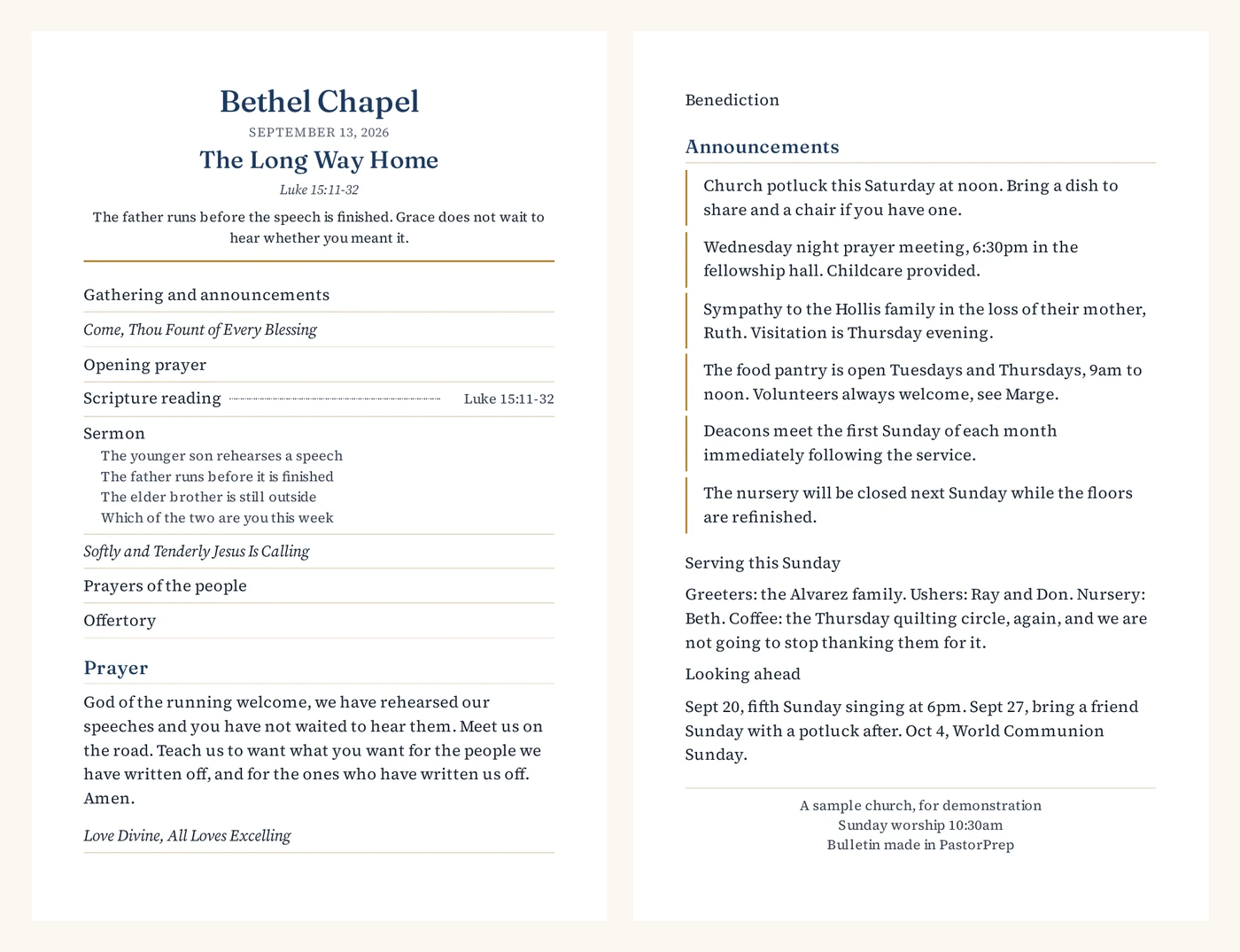
Here is a bulletin the builder made.
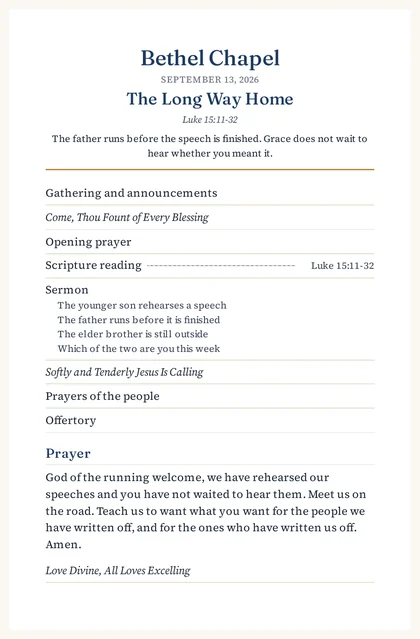
A half-fold bulletin for a Sunday in Ordinary Time: order of service from the tradition, hymns from the hymnal, the sermon title and passage carried over from the sermon, the standing announcements that were there last week, and the ones added this week. It printed to PDF in under two minutes.
Both sides, as they print. The sermon points under the Sermon line came across from the sermon itself, not retyped.
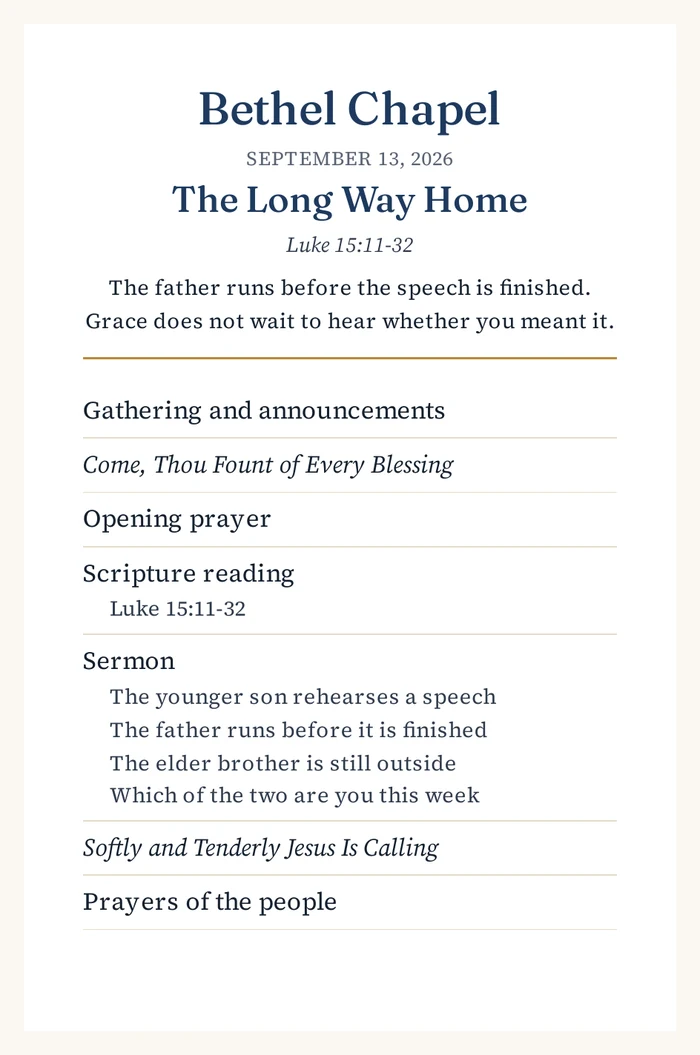
The same bulletin in large print, for the back pews. Same content, bigger scale, one click.
Both are real files off the real tool, not pictures of a design. Print one and fold it if you want to check the margins. The church is invented; the bulletin is not.
How it works, week to week
You pick your tradition once, and each week you get a bulletin that already knows your order of service and remembers the potluck notice from last week. You edit, pick a design (traditional or large print), and download a print-ready PDF. You do not need to write your sermon in PastorPrep to build your bulletin in it: the bulletin is a full tool on its own. And when the pastor does write the sermon here, the bulletin fills itself in with the title, the passage, and a prayer of the day.
What it costs
Free for 14 days, then $19 a month, or $190 a year. One price, no tiers. There is no card to start, so the trial cannot quietly turn into a charge. Cancel in one click, and your bulletins export cleanly. PastorPrep is open now: sign up today and this Sunday's bulletin is the first one you build without Publisher.
Questions people are asking
Does Publisher still work?
Not for Microsoft 365 subscribers. Microsoft removed it on October 1, 2026, and it can no longer be opened or installed through a subscription. If you own a one-time-purchase copy (Publisher 2019 or 2021), it still runs on that computer, with no support or security updates from October 13, 2026.
How do I open my .pub files now?
Not through Microsoft 365, because the app itself is gone. A one-time-purchase copy of Publisher still opens them, so anyone with Publisher 2019 or 2021 can save them as PDFs. LibreOffice Draw, which is free, opens most .pub files too, though the layout may need tidying. Word does not open .pub files.
Can PastorPrep import my old Publisher bulletin?
Yes, through our separate Publisher file recovery. Preview a supported .pub file for free, then pay $5 once to download the recovered PDF. No account is required. If you want a weekly bulletin workspace, continue into PastorPrep and use that PDF to help bring across the words and service order. It does not automatically reproduce your Publisher layout. Your recovery purchase gives you a $5 credit toward your first monthly subscription; one credit per account.
Do I have to use the sermon part?
No. The bulletin builder is a complete tool on its own. Plenty of churches will use it just for the bulletin, and that is fine with us.
What if it doesn't work for us?
The first 14 days are free and there is no card on file, so nothing is charged unless you decide to stay. Cancel in one click, no phone call, and your bulletins and sermons export cleanly.
What happened to Publisher, and what to do now
The facts, plainly
If you used Publisher through a Microsoft 365 subscription: the app was removed on October 1, 2026. It no longer opens or installs through your subscription, so it cannot open your .pub files either. Your .pub files are still on your computer; you just need another way in.
If you bought Publisher outright (Publisher 2019 or 2021, a one-time purchase): it still runs on your computer, with no support or security updates from October 13, 2026. You can keep using it, and many small churches will.
Either way, Microsoft is not replacing it. Their advice is to use Word or PowerPoint instead. Here is their notice.
What to do now, whatever you choose next
Find out which Publisher you have. If Publisher still opens, go to File, then Account. Publisher 2019 or 2021 is yours to keep, unsupported. If it no longer opens at all, it was the Microsoft 365 version.
Get every bulletin you care about out as a PDF. If Publisher still opens: File, then Save As, then choose PDF. If it does not, LibreOffice Draw (free) opens most .pub files and can export a PDF, or ask someone who owns Publisher 2019 or 2021 to do the saving. Do this for your regular Sunday layout, your special-service layouts (Christmas Eve, Easter, funerals), and your newsletter. A PDF cannot be edited easily, but it can be printed, shared, and used as a visual reference when you rebuild.
Copy your announcements and order of service into a plain document. The words are the part that took years to get right. Put them somewhere that opens anywhere: a Word file, a Google Doc, or a note.
Pick what comes next. The free template if you want to keep doing it by hand, or the builder if you would rather not.
The alternatives, honestly compared
Most church guides right now point to the same short list. Here is what each one is actually like for a weekly bulletin, including the tool we make.
Tool
Cost
What it is like for a weekly bulletin
CCanvaFree or Pro
Free, or $15/mo Pro
Easiest to learn, pretty templates, clean PDF export. But it starts from a blank design every week and knows nothing about your order of service or last week's announcements. Expect 45 minutes to an hour each Saturday, forever.
WWord or Google DocsAlready on your computer
Included
Familiar and free. Fine for a single-column bulletin. Two-column half-fold layouts fight you, which is why our free template has the layout done, though every week is still copy-paste from last week.
SScribusOpen source
Free
The closest thing to Publisher itself: real desktop publishing, real control. Also the steepest learning curve on this list. Good if someone on your team enjoys software.
AAdobe Express / InDesignDesign professionals
$10 to $23/mo
Professional results, especially InDesign. Overkill and over-budget for a 60-person church that needs one half-fold bulletin a week.
✝Church-specific bulletin servicesDenominational and supply companies
Varies
Some denominational bodies and church-supply companies offer templates. Worth checking with your conference or diocese, though most are templates, not tools: they still start blank each week.
PPastorPrepBuilt for small churches
$19/mo after 14 free days
Starts from your tradition's order of service, carries recurring announcements week to week, suggests hymns from your hymnal, and prints a half-fold PDF, including a large-print version. Also drafts your sermon, but the bulletin works on its own. Open now.
We put ourselves last on purpose. If Canva or Word does the job for you, use it. This page exists because a lot of pastors asked us what to do, not to talk you out of a free tool that works.
Why we built the bulletin side first
PastorPrep started as sermon prep software: it learns how you preach from your past sermons, drafts in your voice, and checks every Bible verse against your translation. But when we asked small-church pastors what actually ate their Saturday, the bulletin kept coming up. Copy last week's. Update the announcements. Fight with the layout. Print. Fold. So the bulletin is not an add-on. It is a full tool on its own.
Also on PastorPrep: how the sermon side works. If you write the sermon too, we will send you a free outline for this Sunday within 24 hours.
Have this Sunday’s bulletin ready to print.
Sign up now, and this Sunday's bulletin is the first one you build without Publisher. Your order of service saved once, announcements carried over, a print-ready PDF every week.